Public beta · v0.5.1 available

Private Mac screen recording,
without the fuss.

A native macOS screen recorder with real controls — pause, resume, mic, and system audio together. Everything stays local. Transcription and summaries are optional, and always use your own API key.

Requires macOS 13 Ventura or later. Apple Silicon recommended.

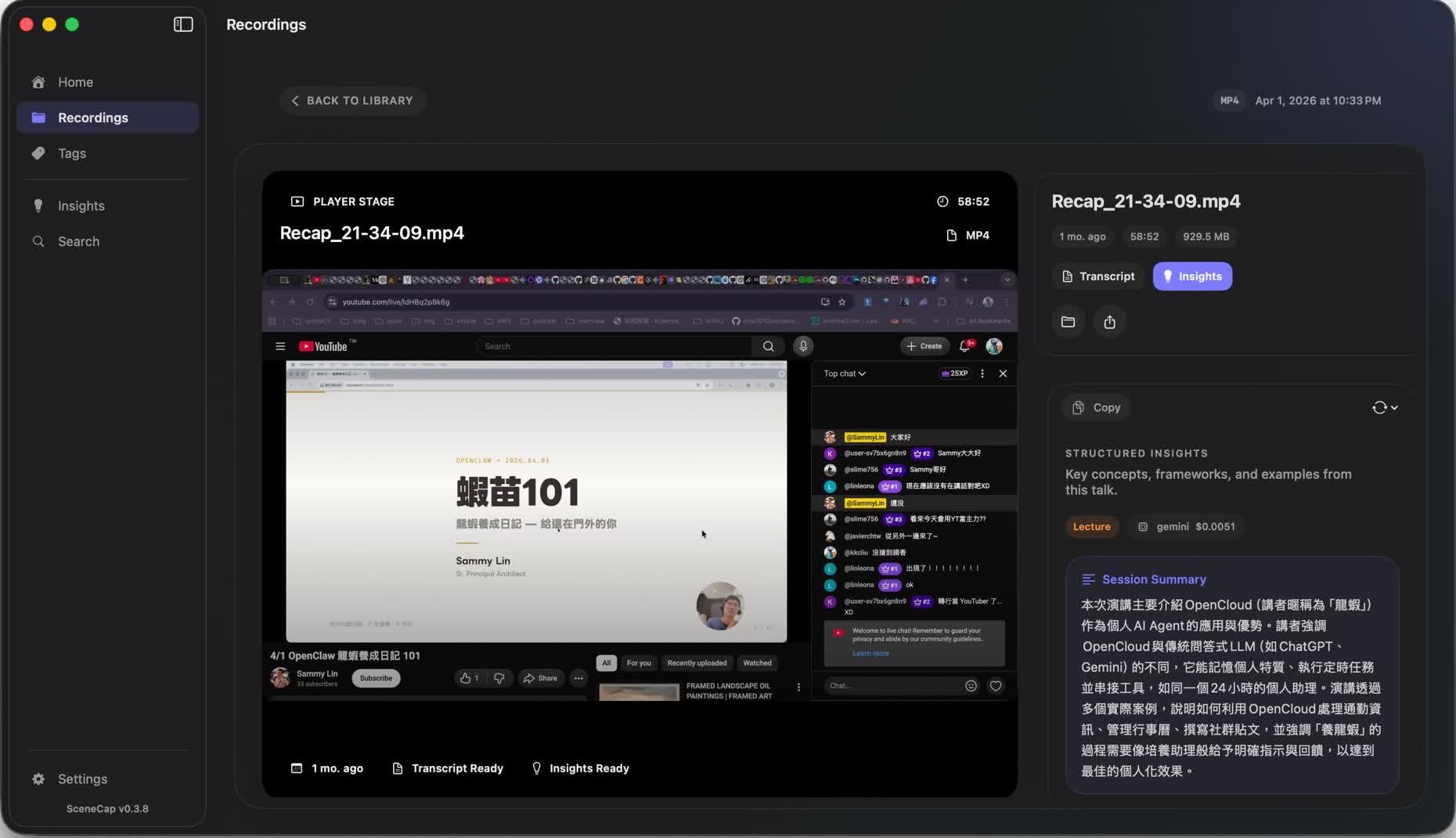
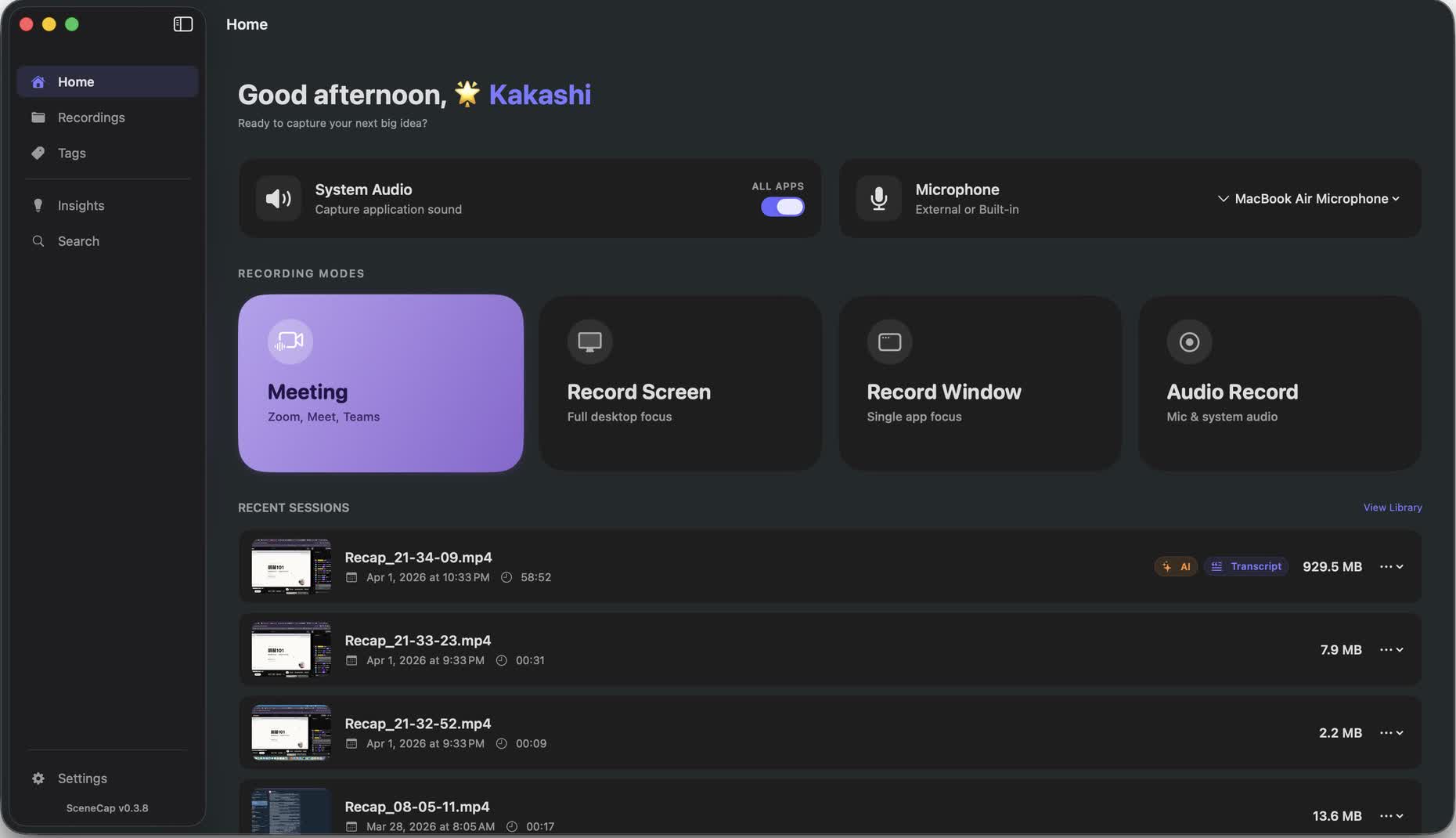
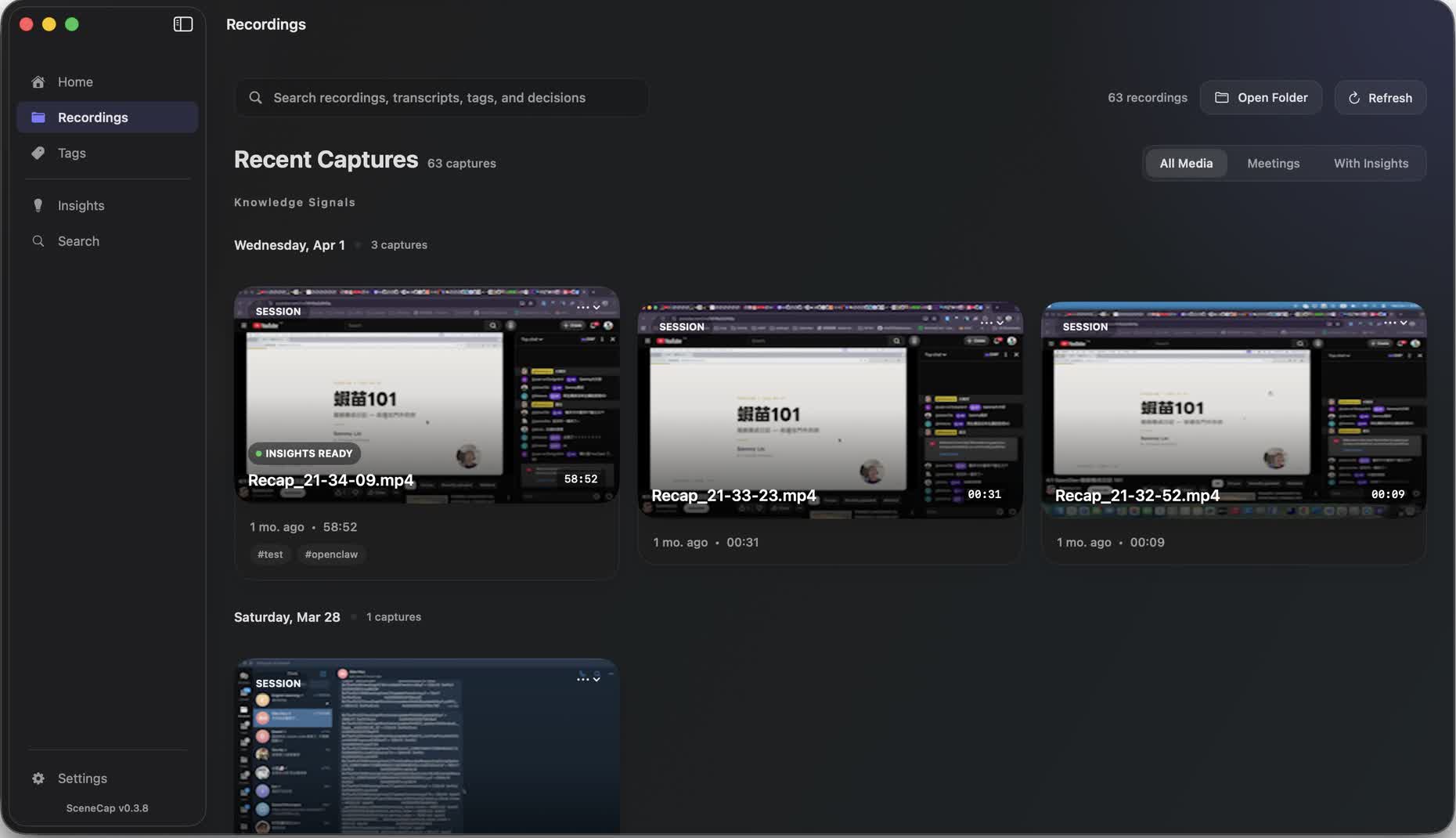
SceneCap Home dashboard with recording modes SceneCap Mac screen recorder library with grid view SceneCap video playback with transcript and summary

More control. Zero cloud surprises.

Most recorders either lack basic controls or silently upload everything you record. SceneCap does neither.

▮▮ No pause/resume in basic recorders HUD controls, pause mid-recording, resume where you left off
🏠 Cloud recorders upload everything automatically Local-first — recordings stay on your machine, always
🤖 Manual notes after every recording Optional AI summary — your own API key, off by default

A recorder that respects how you actually work.

🎬 4 recording modes

Meeting, full screen, single window, or audio-only. Pick the mode that fits — each with its own optimized settings.

🤖 AI summary on demand

On-device transcription with WhisperKit. Cloud summary via your own OpenAI, Anthropic, or Gemini key. Off by default.

🏠 Local-first, always

Recordings stay on your machine. No account, no upload, no cloud bill. API keys stored in Keychain.

🎤 Mic + system audio

Capture your voice and screen audio simultaneously. Floating HUD for pause, resume, and stop without breaking focus.

🔖 Tags and insights

Organize recordings with tags. The insights dashboard surfaces trends, decisions, and action items across sessions.

🚀 Made for Mac

A native Mac interface that feels familiar from the first click. Light, responsive, and out of your way—like a built-in Mac tool.
On-device transcription. Your key for the rest.

No data leaves your machine until you decide it should. Transcription runs locally; summaries use the LLM provider you choose.

🎤

Record

Audio captured locally as part of your screen recording

📝

Transcribe

WhisperKit runs on-device — no upload, no API call

Summarize

Send transcript to OpenAI, Anthropic, or Gemini with your own API key

WhisperKit (on-device) OpenAI Anthropic Google Gemini

Everything is free during the beta.

Download SceneCap, use every available feature, and help shape what comes next. There is no checkout and no payment required right now.

What beta access includes

  • All currently available recording, library, transcript, and insight features
  • No account, subscription, or payment details
  • Optional AI providers still use your own API key and provider billing

Pricing may be introduced after beta. If that happens, it will be announced clearly before any change takes effect.

A few things worth knowing.

Is SceneCap really free during beta?

Yes. Every feature currently available in SceneCap is free during the public beta. There is no checkout and we do not ask for payment details.

Do I need an account?

No. SceneCap works locally on your Mac and does not require a SceneCap account.

Does SceneCap upload my recordings?

No. Recordings and on-device transcription stay on your Mac. If you choose a cloud AI provider for summaries, only the transcript is sent using your own API key.

What does BYOK mean?

Bring Your Own Key. You can optionally connect OpenAI, Anthropic, or Gemini with an API key you control.

Where can I see what changed?

The changelog records every public release, fixes, and improvements.

Better recordings start today.

Download SceneCap. Hit record. Everything else just works.
No sign-up. No SceneCap account. No payment during the public beta.

macOS 13+ · Apple Silicon recommended · Public beta is free